Free Google Review Link Generator
Generate a direct Google review link for your business. Customers click it and the review form opens instantly — no searching, no extra steps.
- Search for your business or paste a Google Maps link
- Select from suggestions or press Generate
- Copy your review link and share it
→ What is a review deeplink?
A regular Google Maps link takes customers to your business listing. A review deeplink skips straight to the "Write a Review" form — one click, no navigation. Fewer steps means more reviews.
Free Google Review Link Generator
Create a direct link to your Google Reviews with this free tool by Productmate. Paste any Google Maps URL or search for your business by name, and get a review link you can share with customers. No login required, no Google Business Profile needed.
Share your review link instantly
Paste any Google Maps URL, get a direct review link. Copy it, share it via email, text, or social media.
No Google Business Profile needed
Works with any place on Google Maps. You don't need to own or manage the business listing.
QR code for print materials
Download a QR code of your review link for review cards, table stickers, receipts, or email signatures. Need a custom QR code with your logo? Try our free QR Code Generator.
What Is a Google Review Link?
A Google review link is a special URL that takes customers directly to the review form for your business on Google. Instead of asking customers to search for your business on Google Maps, find the reviews section, and click "Write a review," you give them a single link that opens the review form instantly. This removes friction from the review process and dramatically increases the number of reviews you receive. The link uses your business's unique Google Place ID to direct customers to the correct review form every time.
How to Create a Google Review Link
There are several ways to create a Google review link, but the fastest method is to use this free generator. Simply search for your business name in the search field above, or paste your Google Maps URL. The tool automatically extracts your Google Place ID and builds a direct review link in the format that Google recognizes. You can also find your Place ID manually through the Google Places API, but this tool handles everything for you in seconds. The generated link follows the official Google review URL structure, ensuring maximum compatibility across browsers and devices.
How to Share Your Google Review Link
Email and Email Signatures
Add your review link to follow-up emails after a purchase or service. Include it in your email signature with anchor text like "Leave us a review on Google" so every email you send becomes an opportunity to collect reviews. Many businesses see the best results from post-purchase email sequences that include the review link 3-7 days after a transaction.
SMS and WhatsApp
Text messages have open rates above 90%, making SMS and WhatsApp excellent channels for review requests. Send a brief, friendly message with your review link shortly after a positive customer interaction. Keep the message personal and short — customers are more likely to leave a review when the request feels genuine.
QR Code for Print Materials
Print a QR code of your review link on business cards, receipts, table tents, packaging, or in-store signage. Customers can scan the code with their phone camera and go directly to your review form. Use our QR Code Generator to customize the design with your brand colors and logo.
Website and Social Media
Add a "Review us on Google" button to your website, especially on thank-you pages and order confirmation pages. Share the link on your social media profiles and in posts. You can also include it in your Google Business Profile posts and updates.
Why Google Reviews Matter for Your Business
Google reviews directly influence your local search ranking. Businesses with more positive reviews appear higher in Google Maps results and the local pack (the map section at the top of search results). Reviews also build trust with potential customers — studies consistently show that consumers read online reviews before visiting a local business or making a purchase. A steady stream of recent, positive reviews signals to both Google and potential customers that your business is active, trustworthy, and delivers quality service. Beyond SEO, reviews provide valuable feedback that helps you improve your products and customer experience.
Tips for Getting More Google Reviews
The most effective strategy is to ask at the right moment — immediately after a positive interaction when the customer is most satisfied. Make it as easy as possible by sending the direct review link rather than asking customers to find you on Google. Personalize your requests and explain that reviews help your business. Respond to every review, both positive and negative, to show that you value customer feedback. Never offer incentives for reviews, as this violates Google's policies and can result in reviews being removed. Instead, focus on delivering excellent service and making the review process frictionless with your direct Google review link.
Frequently Asked Questions
How do I create a Google Review link?
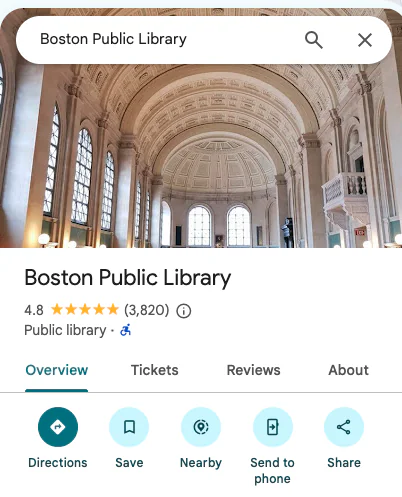
Find your business on Google Maps, copy the URL from your browser, and paste it into the tool above. The generator extracts your Place ID and builds a direct review link that opens the Google Review form for your business.
How do I find my Google Maps link?
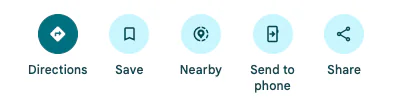
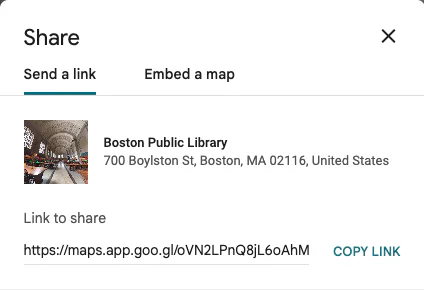
Search for your business on Google Maps (maps.google.com), click on your business listing, then copy the URL from your browser's address bar. You can also use the "Share" button in Google Maps to get a short link.
Do I need a Google Business Profile?
No. This tool works with any place listed on Google Maps, even if you don't own or manage the Google Business Profile. As long as the place exists on Google Maps, you can generate a review link for it.
How do I share my Google Review link with customers?
Once you have your review link, you can share it via email, text message, WhatsApp, social media, or embed it on your website. You can also print a QR code on business cards, receipts, or table cards.
Can I use this link in my email signature?
Yes. The review link works anywhere you can place a hyperlink. Add it to your email signature with text like "Leave us a review" so every email becomes an opportunity to collect feedback.
Can I make a QR code for Google Reviews?
Yes. After generating your review link, click the "Download QR" button to get a QR code image. Print it on review cards, table stickers, packaging, or any physical material where customers can scan it.
What is a Google Place ID?
A Google Place ID is a unique identifier for every place on Google Maps. This tool extracts it from your Maps URL and uses it to create a direct link to the review form. Place IDs look like "ChIJ..." and are stable identifiers that don't change.
Does this work for restaurants and hotels?
Yes. This tool works for any business type on Google Maps — restaurants, hotels, shops, clinics, salons, and more. Any place with a Google Maps listing can have a review link generated.
Is this Google Review Link Generator free?
Yes, this tool is 100% free with no limits. Generate as many review links as you need — no account, no signup, and no hidden costs.
Do my customers need a Gmail account to leave a review?
Yes, customers need a Google account to post a review. However, any Google account works — it does not have to be a Gmail address. Many people already have a Google account linked to their phone or other email.
What if my Google review link is not working?
First, check that the original Google Maps URL is correct and the business still exists on Google Maps. If you used a short link (goo.gl/maps), try pasting the full Google Maps URL instead. Also ensure the link opens in a browser, not the Google Maps app, as app redirects can sometimes interfere.
Can I create review links for multiple businesses?
Yes. Simply generate a link for one business, copy it, then use the tool again for the next business. There is no limit to how many review links you can create.
How do I get a short link for Google reviews?
After generating your review link with this tool, you can use any URL shortener (like Bitly or TinyURL) to create a shorter version. The generated link itself is already a clean, direct URL to the Google review form.